

Ensure that the Application Server is not running. Shut down the Application Server by right-clicking the Application Server icon  on the Windows taskbar and selecting Terminate.
Follow these steps:
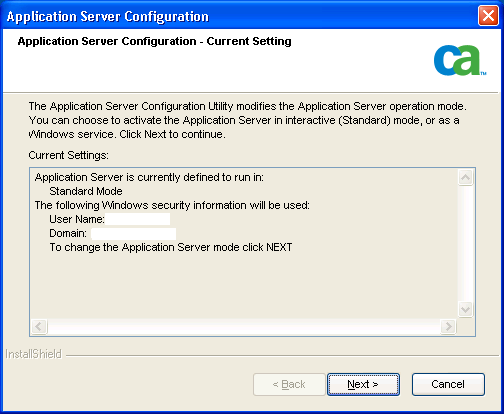
The Application Server Configuration wizard runs and displays information about the mode in which the Application Server is running.
The following example shows an Application Server defined in Standard Mode:
The Mode Selection dialog opens.
The Application Server Configuration - Windows Security dialog opens.
Note: This user does not have to be the same user as the one configuring or activating the Application Server. However, the user must have the same scope (for example, domain or local) as the currently logged-in user.
(Optional) You can change this user information (for example, users may change their passwords) using following steps:
The Summary dialog displays the settings you selected.
|
Copyright © 2016 CA Technologies.
All rights reserved.
|
|