

Introduction › CA SRM Components › CA SRM Windows Client › Home Page
Home Page
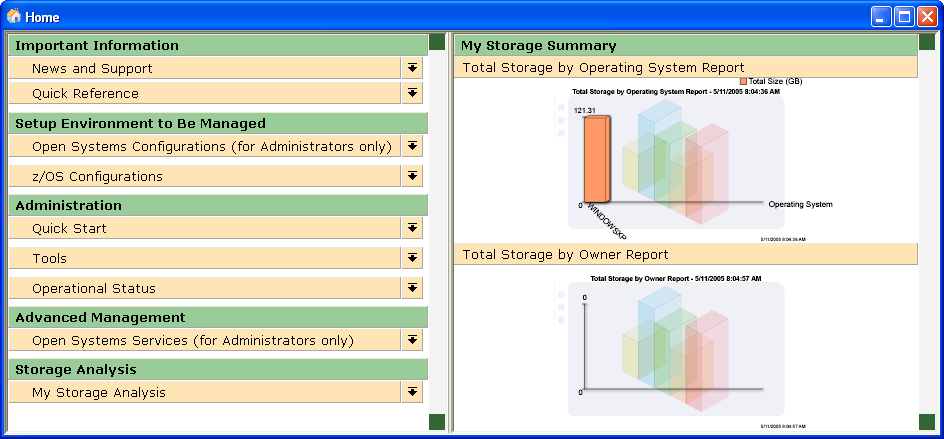
The Home Page provides shortcuts to many of the Windows Client features:
- Important Information—This section includes web sites with news and support information.
- Setup Environment to be Managed—This section provides access to registering Open System computers and z/OS host configurations.
- Administration—This section provides a shortcut to much of the toolbar features including the Object Tree, Activity Monitor, User manager, logs and the Scheduler.
- Advanced Management—This section presents links to the services.
- Storage Analysis—This section details the key storage metrics regarding managed objects such as computers at risk or total storage by owner. It also presents high-level graphical representation of your storage information. You can put any view on the Home Page, including tables, graphs, and trend reports.
You can publish summaries to the right side of the Home Page. To do this, you need to select Publish to Home Page in the View Definition's Destination dialog. In order to see a summary on the Home Page, you must select this box in one of the view definitions otherwise the My Storage Summary section remains blank:
Copyright © 2016 CA Technologies.
All rights reserved.
|
|