

You can modify the maintenance policy of an object to control the data consolidation and retention of that object.
Follow these steps:
The Modify Maintenance Policy dialog opens.
A dialog that allows you to change the policy for the selected item appears.
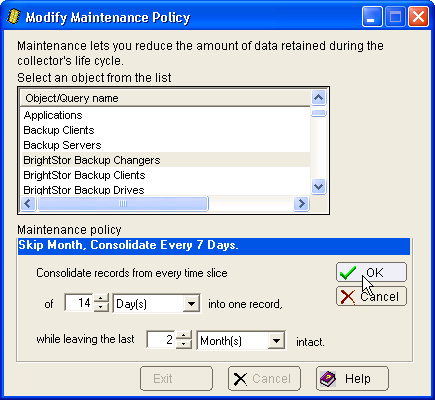
Specifies the amount of data you want to combine into a single record. You can consolidate by the following time units:
Specifies the amount of data you want to retain.
For example, if you specify a value of one week, the policy consolidates all records together into a single average value except for the previous week.
The new policy is assigned to the object.
|
Copyright © 2016 CA Technologies.
All rights reserved.
|
|