Previous Topic: Registering Lotus Domino ServersNext Topic: Defining a Query Service


Using the Lotus Registration Wizard

To register Lotus Domino servers with CA SRM, follow these steps:
  1. From the Open Systems menu of the CA SRM Windows Client, select Register, Applications, and then Lotus.
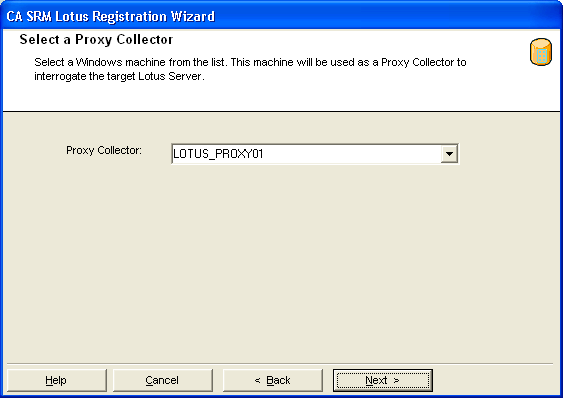
  2. Select a proxy collector from the drop-down list. The wizard creates this list by searching the Computers table for machines that have the Lotus Domino client already installed:

    lotus_wiz_proxy

  3. Select the server you want to mange. To do this:
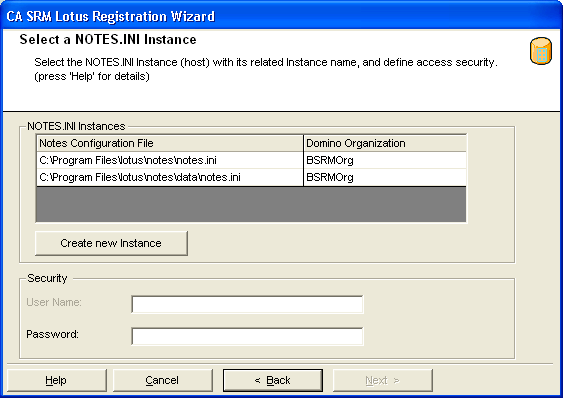
    1. Select a NOTES.INI file. These files reside on the Lotus clients (proxy servers) with each file containing the information necessary to connect to a specific Lotus server.
    2. Enter the user name and password for the selected Lotus server:

    lotus_wiz_inst

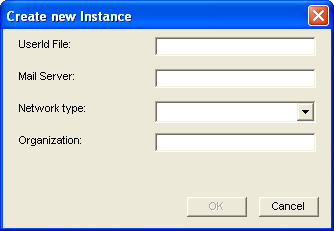
  4. (Optional) If you want to create a new NOTES.INI file, click Create New Instance. Enter the following information:

    lotus_wiz_new

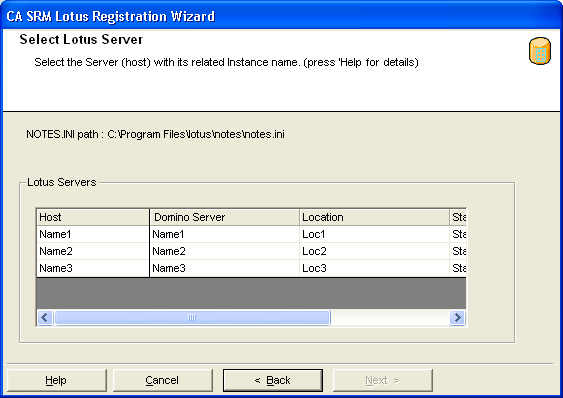
  5. Select a Lotus server. This list is comprised of servers that you can connect to from the selected NOTE.INI file:

    lotus_wiz_server

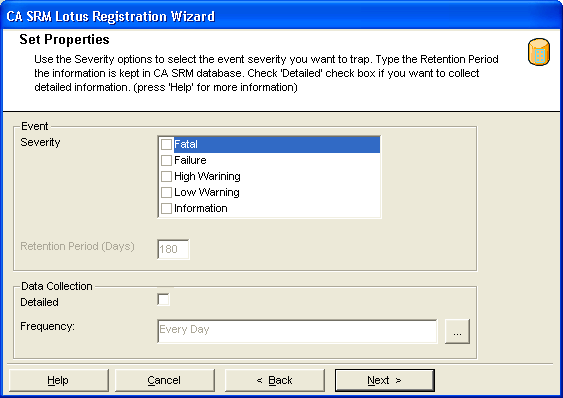
  6. Select how detailed and how often you want to collect data:

    lotus_wiz_props

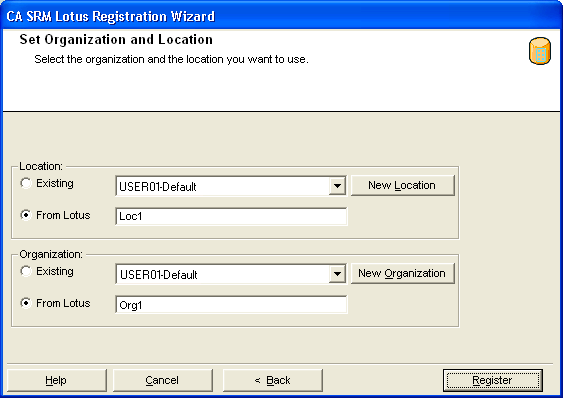
  7. (Optional) You can add a location or organization to the Lotus server that you want to register. You can create locations and organizations, select existing ones, or select them from Lotus:

    lotus_wiz_org

    To attach a geographic location to the computer or server, select one from the drop-down list. You can manually add a location by clicking New Location. Type the location information and select a contact in the Create New Location dialog.

    To attach an organization to the computer or server, select one from the drop-down list. You can manually add an organization by clicking New Organization. Type the organization name and select a contact in the Create New Organization dialog.

    Add a contact by clicking New Contact in the Organization or Location dialogs. Type the name, telephone number, and email address of the new contact person in the Create a New Contact dialog. You can access your default address book by clicking the To: button and select the email address from there. Clicking OK returns you to the New Location or New Organization dialog.

    Click Register when finished.