

You can view the state of services using the CA SRM Activity Monitor. The Activity Monitor display separates services into active services and procedures, services on hold, services that have completed operation, and services in error. You can monitor all pending, completed, and active jobs, and reschedule pending or completed jobs. You can record the actions of the Activity Monitor in an Activity Log. The following is an example of the Activity Monitor window:
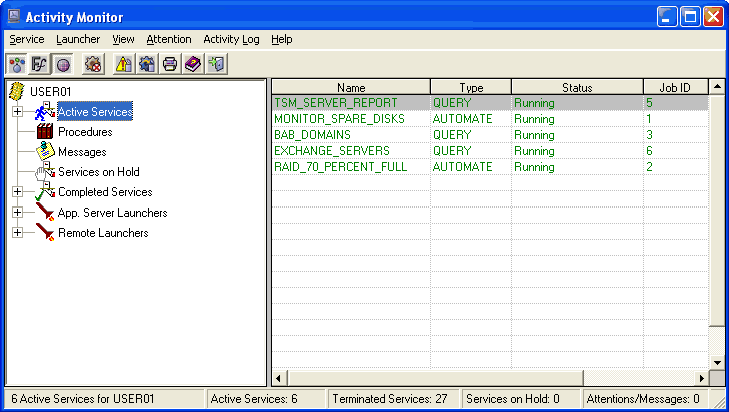
The Activity Monitor window is divided into two panes. On the left is the Scope pane, an expandable/collapsible tree of Services, Procedures, Attentions, and so on, similar to the standard Windows Explorer folder tree. On the right, the Result pane shows a detail view of the object you select in the Scope pane.
For example, if you select Services in the Scope pane, the Result pane shows the list of currently active services. If you expand the list and select an individual service in the Scope pane, the Result pane shows the detailed status information about that service. Similarly, you can expand the tree further to obtain the list of tasks within a selected service.
The menu and toolbar provide you with access to monitor actions. The status bar at the bottom of the window shows a summary of real-time information about active services.
|
Copyright © 2013 CA.
All rights reserved.
|
|