

The User Manager provides an easy way to create and manage users and administrators who are allowed to start and log in to the Windows Client. Access the User Manager from the list of Quick Start options in the Home View or the Tools menu option. Use the User Manager to create additional users and administrators. Only users with the administrator attributes are allowed to use this facility; that is, only administrators can add, modify, or delete user IDs. The following example shows the User Manager:
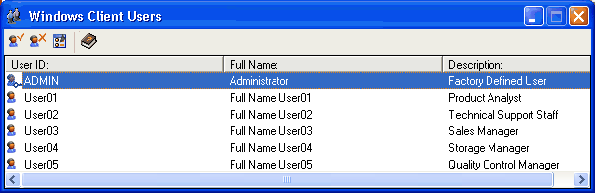
The following table describes the User Manager icons and functions.
|
Button |
Function |
|
|
Use the Add User button to define new users. |
|
|
Use the Delete User button to remove an existing user. |
|
|
Use the User Properties button to change user settings. |
|
|
Use the Help button to access online help. |
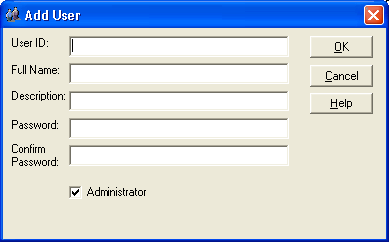
Check the Administrator box in the User dialog to grant the new user administrator rights, as shown in the following example.
|
Copyright © 2013 CA.
All rights reserved.
|
|


