

Use the Options page of the View and Output Definition wizard to define multi‑host data display options, and to set your report execute preference. The following example shows the Options dialog page:
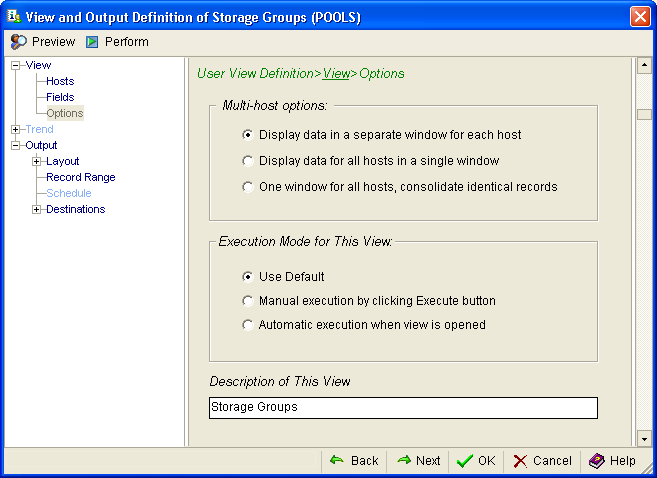
The following options are available in the Multi‑host options section:
Select this option to display the data from each host in a separate window, differentiating the data you are retrieving on a host‑by‑host basis.
Select this option to merge the data from multiple hosts. Use this option when the identification of the host from which the Windows Client retrieved the data is not important.
Select this option to merge data from identical records and display them in one window.
The following options are available in the Execution Mode for This View section:
Select this option to use the Windows Client default to generate the report.
Select this option to take manual control over when the Windows Client creates the report.
Select this option to execute a data collection and report when the view is opened. You may have to reset the Windows Client execution setting to enable Execute in the User View. To do this, open the host window, and right‑click the host to which the User View belongs. Select Options, and scroll to the View Execution line. Click in Value cell and set the parameter to Manual.
|
Copyright © 2013 CA.
All rights reserved.
|
|