

You can download CA Technologies product ESD packages multiple ways. Your choices depend on the size of the individual files and the number of files that you want to download. You can download the complete product with all components, or you can select individual pax and documentation files for your product or component.
The following illustration shows sample product files. The illustration lists all components of the product. You can use the Download Cart by selecting one or more components that you need, or selecting the check box for Add All to cart. If you prefer to immediately download a component, click the Download link.
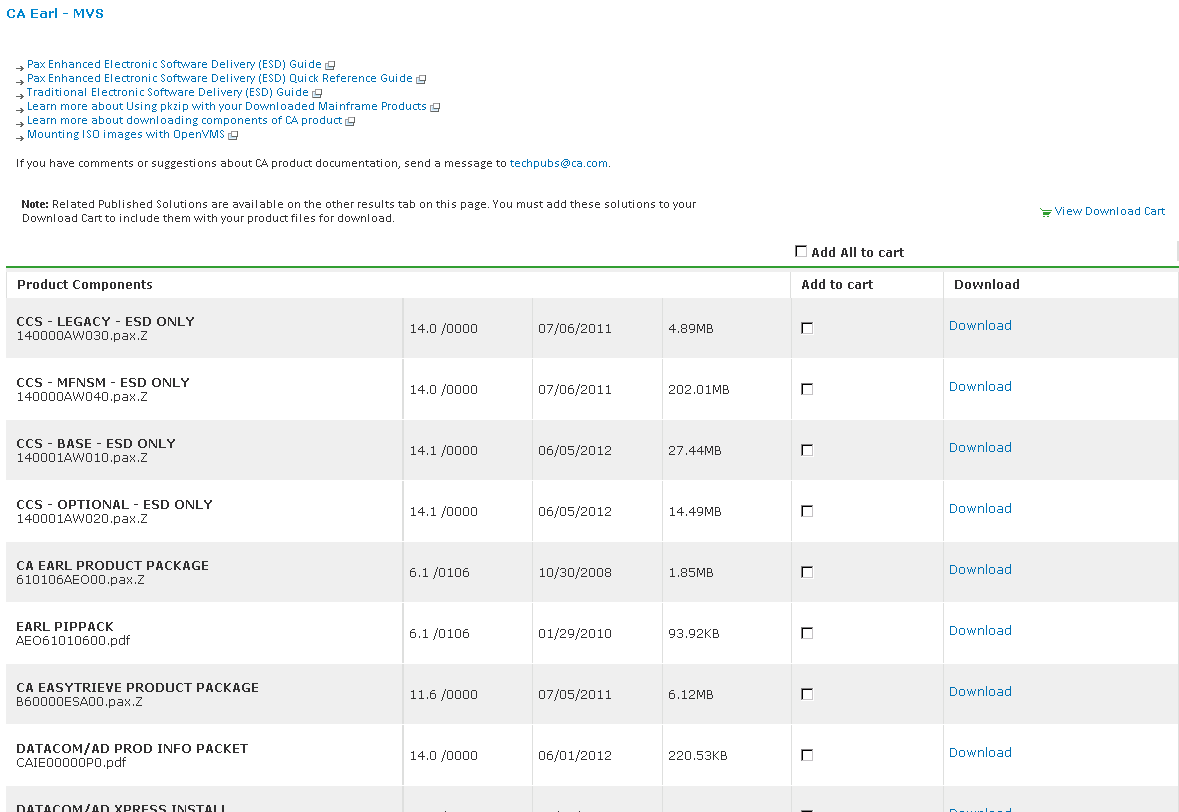
Clicking the link for an individual component takes you to the Download Method page.
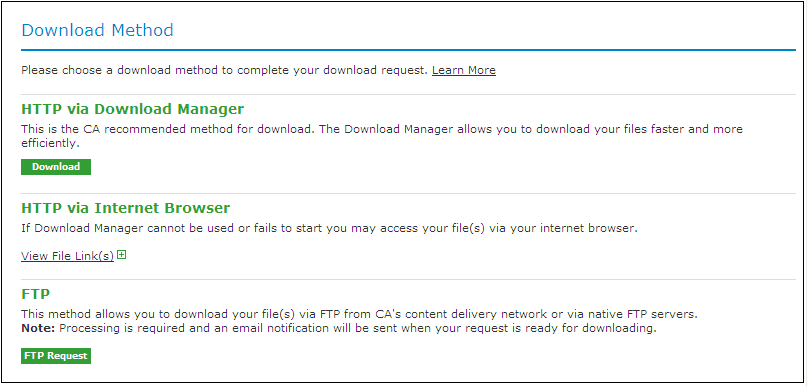
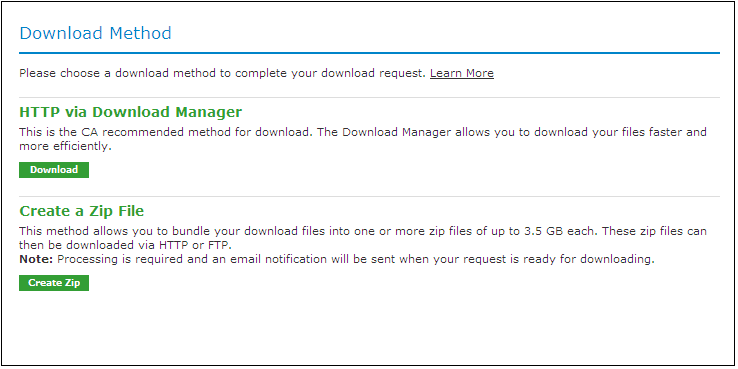
Depending on the size and quantity of ordered product files, the Download Method screen could also have these options:
Note: For mainframe downloads using this HTTP method, click the Learn More link.
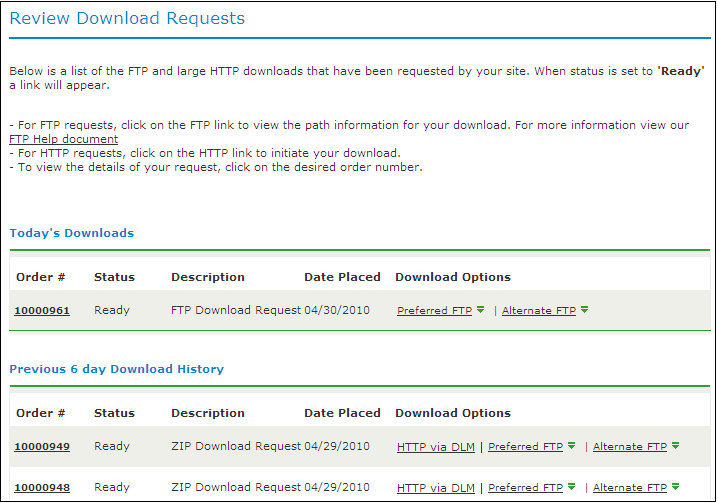
The HTTP method lets you start downloading immediately. The FTP method takes you to the Review Orders page that displays your order, first in a Pending status changing to Ready when your order has been processed.
Preferred FTP uses the new content delivery network (CDN). Alternate FTP uses the CA Technologies New York-based FTP servers.
The Create a Zip File option first creates the zip, and when ready, offers the options that the Zip Download Request examples show in the next illustration.
|
Copyright © 2011 CA.
All rights reserved.
|
|