

|
|
|
The Policy Server User Interface enables you to manage all of the objects you can configure with the Policy Server User Interface. This section discusses the basic techniques you can use while creating and administering your Policy Server objects.
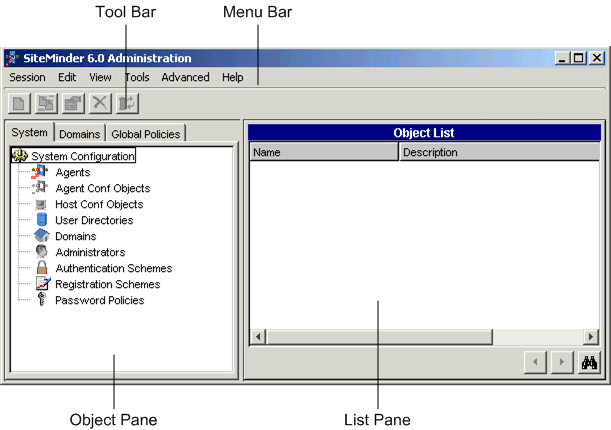
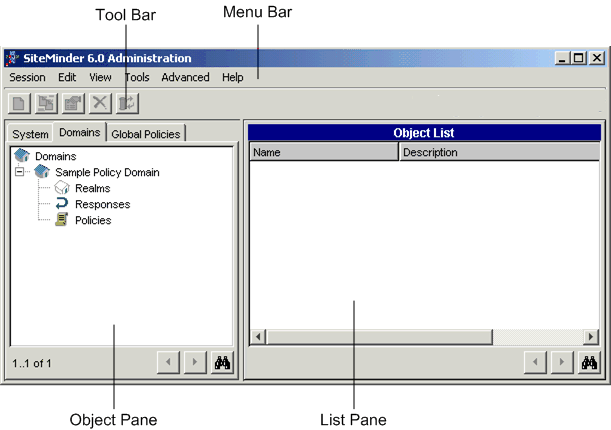
The following figures show the Policy Server User Interface as it appears for an administrator who can manage all system and domain objects, and for an administrator who can manage only policy domain objects.
Note: If no policy domains exist, the Object pane is blank.
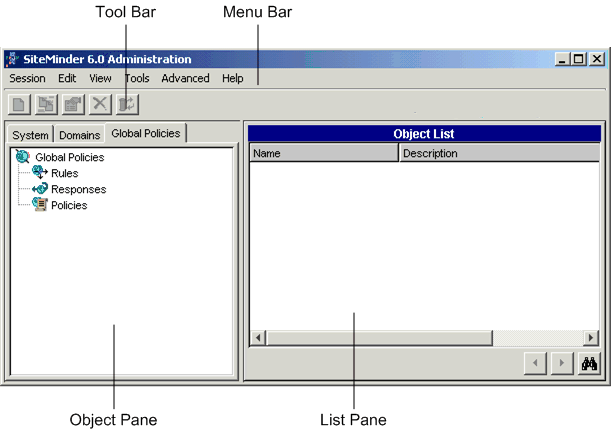
The Policy Server User Interface contains the following controls:
The menu bar contains menus that allow you to log off of SiteMinder, create, edit, and delete SiteMinder objects, access reports, administration tools and advanced features, and open SiteMinder’s on-line documentation.
The tool bar contains icons that allow you to create, edit, copy, and delete SiteMinder objects.
The object pane can contain three tabs: System, Domain, and Global Policies. These tabs allow you to access a hierarchy of SiteMinder objects.
Note: For an administrator with access to only specific policy domains, the Object pane contains neither a System, Domains, and Global Policies tab. Instead it contains only the policy domains to which the administrator has access.
This tab contains a list of objects you can add to a SiteMinder installation.
The objects include Agents, Agent Types, Agent groups, user directories, policy domains, administrators, authentication schemes, registration schemes, password policies, and SQL query schemes. The following chapters describe what these objects can do, and how you can configure them with the Policy Server User Interface.
Note: To view icons for Agent Types, Agent Groups, Registration Schemes, or SQL Query Schemes, select the appropriate menu item from the View menu.
For an administrator with access to all SiteMinder objects, this tab contains a list of all existing policy domains and allows the administrator to manage SiteMinder objects associated with a policy domain.
Policy domain objects include: realms, rules, rule groups, responses, response groups, and policies.
Note: To have Rule Groups or Response Groups appear in the Object Pane of the SiteMinder Administration window, select the appropriate menu item from the View menu.
For an administrator with the Manage System and Domain Objects privilege, the tab pane contains a tab for Global Policies. The objects in this tab allow you to create policies that apply to all protected resources.
The columns of information in the List pane change based on your selection in the Object pane. When you select an object in the Object pane, the List pane displays all of the objects of the selected type that have been configured for your SiteMinder installation.
| Copyright © 2011 CA. All rights reserved. | Email CA Technologies about this topic |