Previous Topic: Install, Upgrade, and Configure the SPS

Next Topic: Prerequisites


Install, Upgrade, and Configure SPS

The CA SiteMinder for Secure Proxy Server is a stand-alone server that provides a proxy-based solution for access control. SPS employs a proxy engine that provides a network gateway for the enterprise and supports multiple session schemes that do not rely on traditional cookie-based technology.

The following diagram describes how you can install and configure SPS:
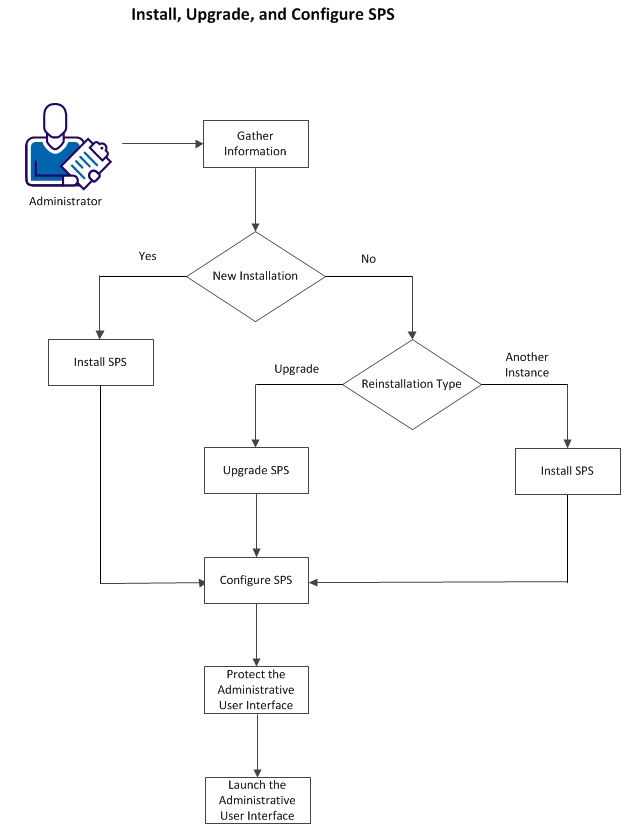
You can use the SPS installer to install a new instance of SPS, install multiple instances of SPS on same computer each time, and upgrade SPS. Configure SPS and then protect the Administrative UI to use it.

More information:

Installation Worksheet

Install SPS

Install Multiple Instances of SPS

Upgrade SPS

Configure SPS

Protect the Administrative User Interface

Launch the Administrative User Interface