

You can upgrade CA SiteMinder® Federation Standalone on Windows and UNIX (Solaris and Linux) systems to 12.52. The existing systems must be running an operating platform and database that supports 12.52.
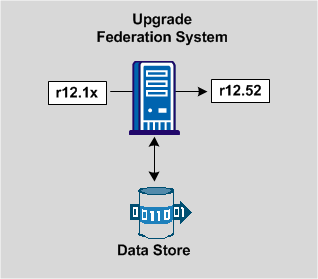
The following figure shows the upgrade path on a single system.
The following figure shows an upgrade of a clustered environment.
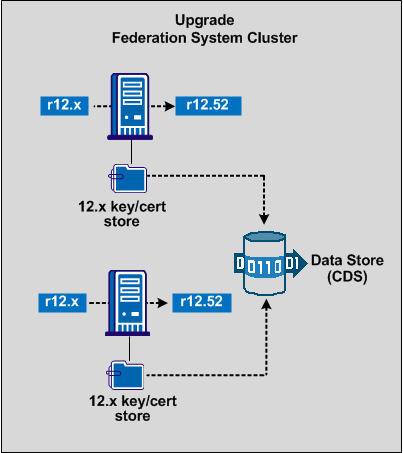
You can set up a CA SiteMinder® Federation Standalone cluster to support failover. To upgrade from an existing r12.x cluster to a new cluster, follow a procedure similar to a non-cluster upgrade. Upgrade each system in your existing cluster to 12.52, assuming the current operating platforms support 12.52.
The systems in a cluster share one data store. By running the 12.52 installation program, which detects upgrades, the key and certificate information is automatically moved to the certificate data store (CDS). The CDS is colocated with the main data store.
The process for an upgrade is as follows:
Each procedure is detailed in the following sections.
|
Copyright © 2013 CA.
All rights reserved.
|
|