

Load balancing distributes communication activity evenly across a network so that no single device is over burdened. CA SiteMinder® Federation Standalone is intended as a standalone endpoint and has no built-in support for load balancing. However, it is possible to enable a simple load-balancing deployment in a network using CA SiteMinder® Federation Standalone. SSL-enabled load balancing is optional, but it is recommended for sending sensitive data.
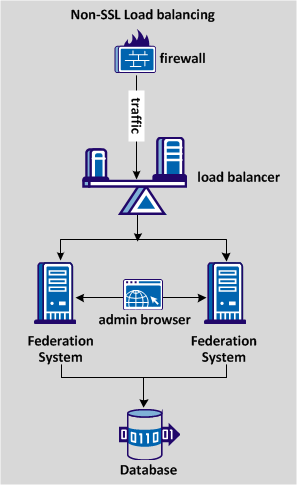
The following diagram shows a non-SSL load-balancing deployment.
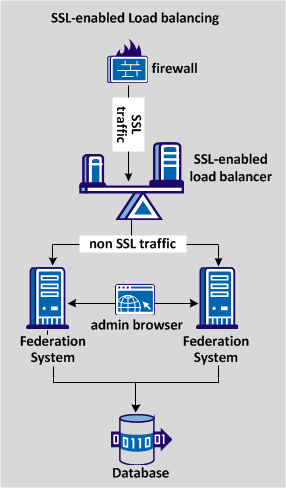
The following diagram shows an SSL load-balancing deployment, distributing traffic across two systems that use the same database store.
Complete the following configuration steps for load balancing traffic:
|
Copyright © 2013 CA.
All rights reserved.
|
|