

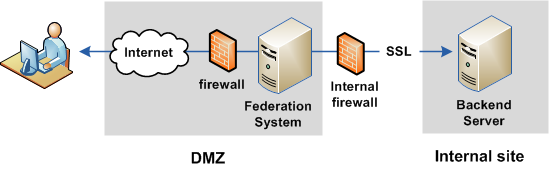
Your federated network can have the federation system communicating to a backend server over an SSL connection. The network configuration is illustrated in the following figure.
Follow these steps:
For instructions, refer to the documentation for the server.
The ca-bundle.cert file resides in the directory federation_install_dir\secure-proxy\SSL\certs.
federation_install_dir is the installed location of the product.
Obtain this certificate from the administrator of the backend server.
|
Copyright © 2014 CA.
All rights reserved.
|
|