Agent for SharePoint Guide › How to Configure your SiteMinder Policy Server
How to Configure your SiteMinder Policy Server
The Policy Server authenticates and authorizes users who request access to the resources in your SharePoint environment. The Policy Server stores items that you create to define the users in your SharePoint environment and the resources that you want to protect with SiteMinder.
The following illustration describes the configuration process that prepares your Policy Server for use with the Agent for SharePoint:
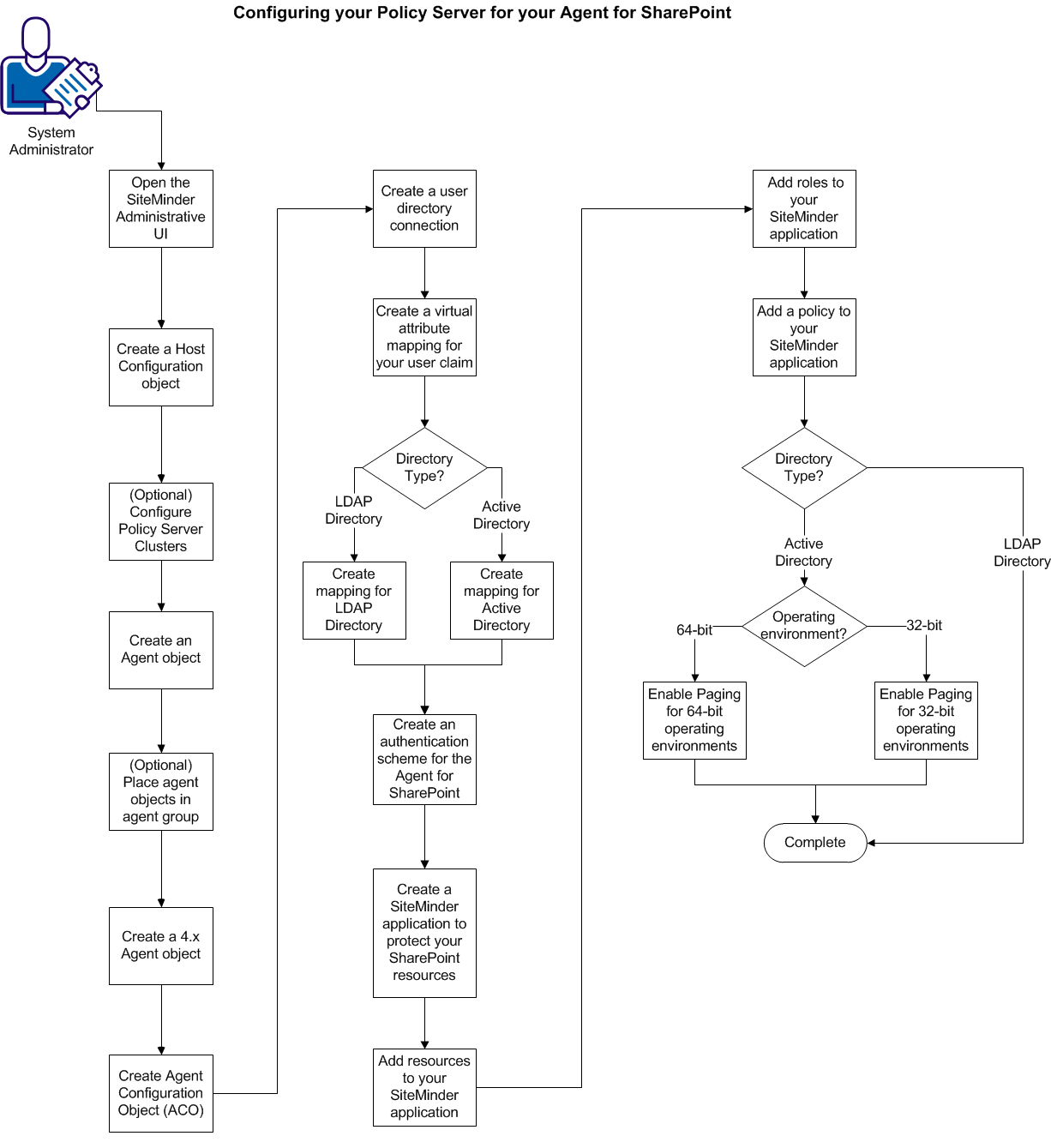
To configure your Policy Server, follow these steps:
- Open the SiteMinder Administrative UI.
- Create a host configuration object.
- (Optional) Configure Policy Server clusters.
- Create an Agent Object.
- (Optional) Create agent groups for multiple agent objects.
- Create a 4.x agent object for the SharePoint Connection wizard.
- Create an Agent Configuration Object.
- Create a user directory connection.
- Create a virtual attribute mapping for your user claim.
- Create an authentication scheme for the Agent for SharePoint.
- Create a SiteMinder application to protect your SharePoint resources.
- Add resources to your SiteMinder application.
- Add roles to your SiteMinder application.
- Add a policy to your SiteMinder application.
- For Active Directory user directories only, enable paging on the system hosting your Policy Server. Use the appropriate procedure for your operating environment:
|
Copyright © 2012 CA.
All rights reserved.
|
|

