

Working with CA Catalyst Reconciliation › How to Perform CA Catalyst Reconciliation
How to Perform CA Catalyst Reconciliation
As an administrator, you can configure CA SOI to perform CI reconciliation.
The Correlator and Reconciler components interact as follows to create a reconciled set of CIs:
- The Correlator receives notification when the correlation keys match for two or more collected CIs.
- The Correlator gathers the projection sheets from the matching CIs into a notebook and sends an event indicating a new or updated notebook to the Reconciler.
- The Reconciler retrieves the notebook indicated in the event from the Persistence Service. The Reconciler then creates a reconciled sheet from the notebook. The reconciled sheet is a single set of properties that are derived from the projection sheets using reconciliation formulas.
CA SOI displays the reconciled sheet from each notebook as a CI in the USM Web View. You can view USM properties for each CI to see the reconciled set of properties. You can also view the USM notebook for each CI to see the reconciled sheet compared with the projection sheets listing the properties retrieved from each source domain manager.
Use this scenario to guide you through the process:
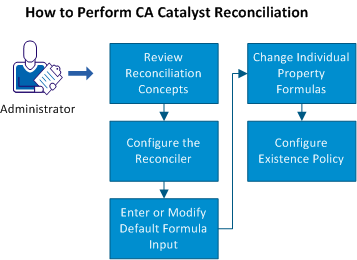
- Review reconciliation concepts.
- Configure the Reconciler.
- Enter or modify the default formula input.
- Change individual property formulas.
- Configure existence policy.
Copyright © 2013 CA.
All rights reserved.
|
|