

Customizing the Operations Console Menu › How to Customize the Operations Console Menu
How to Customize the Operations Console Menu
As an administrator, you can add new menus and new menu items to the Operations Console interface. You can use new menu items to launch URLs, third-party applications, and scripts, and to pass parameters to them.
Use this scenario to guide you through the process:
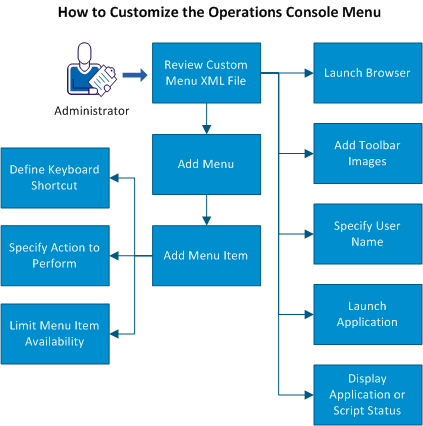
- Review the custom-menu-config.xml file.
- Add a menu.
- Add a menu item, then perform any of the following actions:
- Launch a browser.
- Add toolbar images.
- Specify a user name.
- Launch an application.
- Display the status of a launched application or script.
Copyright © 2013 CA.
All rights reserved.
|
|