Integrating with Other Products › Integrating CA Service Desk Manager with SAP Solution Manager › How to Configure SAP Solution Manager › Configure the Inbound Web Service
Configure the Inbound Web Service
Use SOA Management to maintain the inbound web service for CA Service Desk Manager. You define the endpoint of the inbound service to connect CA Service Desk Manager and SAP Solution Manager.
To configure the inbound web service
- Execute transaction /nSOAMANAGER.
The transaction launches your web browser and the SOA Management logon prompt appears.
- Log in as the j2ee_admin user.
- On the Business Administration tab, select Web Service Administration, as shown in the following example:
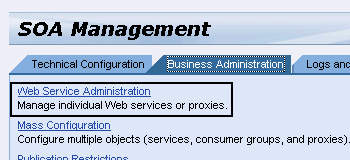
The Web Service Administration page appears.
- Search for the /CASD/CA_SD_WS definition and select it from the list.
Click Apply Selection.
Click Create Service as shown in the following example:
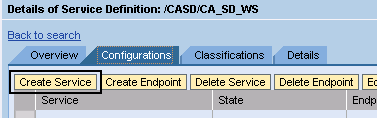
The SOA Management screen appears and lets you enter service and binding information.
- Complete the following information:
- New Service Name—Enter ZCA_SD_WS.
- Description—Enter CA Inbound WS Adapter.
- New Binding Name—Enter ZCA_SD_WS.
Click Apply Settings.
- On the Provider Security tab, select User ID/Password as the Authentication Method and click Save, as shown in the following example:
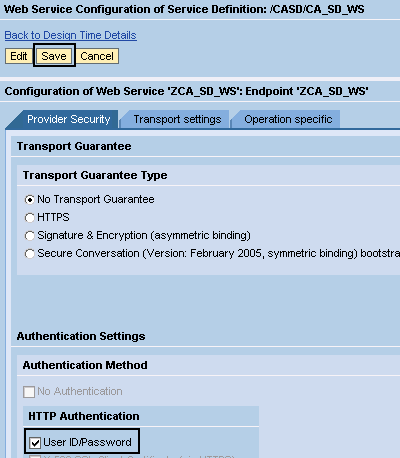
The service definition is saved and you can activate it.