

Deploying CA Service Catalog on a custom web server lets you use CA Service Catalog with another supported web server instead of the default Tomcat web server. Such a deployment also lets you use the same instance of the web server for multiple applications, including CA Service Catalog. For example, CA Service Catalog and CA RCM are installed on the same computer. You can use the same instance of the JBoss web server for CA Service Catalog and CA RCM. Such sharing helps your environment run more efficiently.
The following illustration explains how to deploy CA Service Catalog on the custom web server.
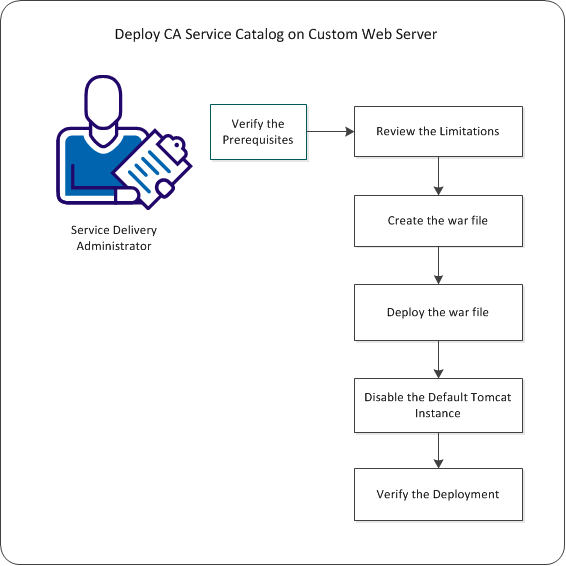
To deploy CA Service Catalog on the custom web server, follow this process:
|
Copyright © 2013 CA.
All rights reserved.
|
|