

Administration Guide › Configuring Resources › How to Provision Storage
How to Provision Storage
As a system administrator, your job includes provisioning the storage in CA Server Automation for virtual and physical servers. The following diagram illustrates the necessary steps to provision storage devices:
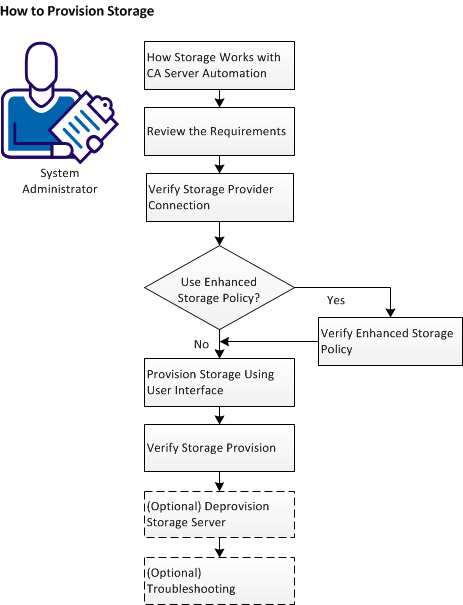
To provision the storage, follow these steps:
- How storage works with CA Server Automation
- Review the requirements
- Verify storage provider connection
- View storage provider server list
- Add storage provider server
- Verify the storage provider connection
- Verify Enhanced Storage Policy
- View Enhanced Storage Policy list
- Add Enhanced Storage Policy
- Provision storage using user interface
- Verify storage provision
- (Optional) Deprovision Storage
- (Optional) Troubleshooting
Copyright © 2013 CA.
All rights reserved.
|
|