

System Administrators use the installation wizard to upgrade CA Server Automation. You can upgrade only core CA Server Automation components (for example, CA EEM and Apache). The upgrade wizard validates required versions of software and optionally lets you install patches.
Note: The upgrade wizard does not upgrade CA integration products (for example, CA ITCM and CA Process Automation). CA integration products require a migration process after upgrading core components.
Note: During upgrade, only the locale used in the previous version is supported. New locale support cannot be added during upgrade.
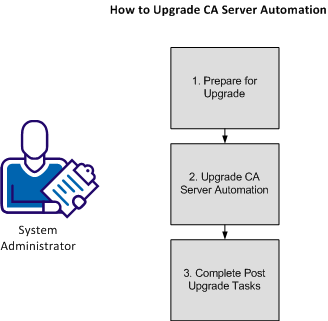
The following illustration shows the process for upgrading CA Server Automation:
|
Copyright © 2013 CA.
All rights reserved.
|
|