

Typically, the Accounts tab is added to tasks that allow you to view or modify a user.
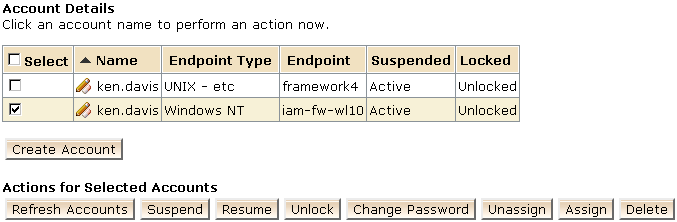
When the Accounts tab is added to a Modify User task, administrators can perform other actions on the user's accounts. For example:
For details on the other options you can provide on the Accounts tab, see the user console help for the Configure Accounts tab.
To use the Accounts tab, Identity Management must be configured with provisioning support, and the Identity Management environment must include a provisioning directory.
Note: To configure provisioning support for an environment, see the Configuration Guide.
|
Copyright © 2015 CA Technologies.
All rights reserved.
|
|