

CA GMI uses the input list to pass parameters to CA SYSVIEW objects.
Follow these steps:
The Input List dialog opens.
The input list data for CA SYSVIEW objects uses a keyword-parameter pair format:
KEYWORD parameters
Keyword is either:
ASID and SYSVIEW Option are used to control the switching to a specific address space.
PARM is used to pass parameters to CA SYSVIEW commands.
The following sample shows the CTRANS object keywords and parameters.
ASID xxxxx | nnnnn. | jobname | jnnnnn
CICS jobname
{CTRANS | PARM}* {Local | Global}
                 {SYSTEM | INTERVAL | TOTAL}
* - Optional. If you do not specify either the command name or PARM, the parameters are assumed to be object parameters.
Examples: Passing CTRANS parameters
The following examples show switching modes and address spaces in the CICS Transaction Summary display.
CTRANS Local
PARM Local
Local
CTRANS Global
PARM Global
Global
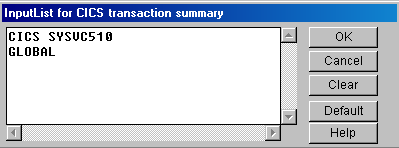
After the object executes, the CICS transaction summary data displays for the CICS SYSVC510 region and GLOBAL mode.
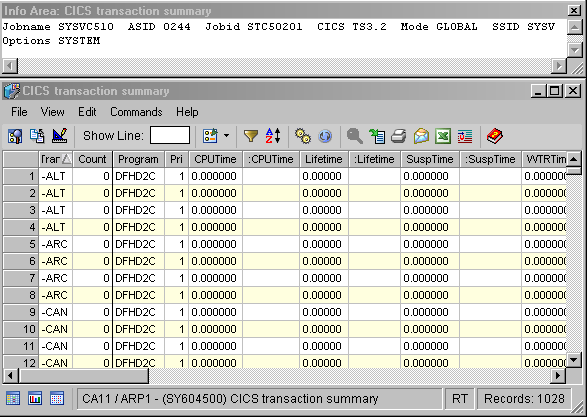
For the address space switchable objects, the Info Area usually contains the name of the address space in focus.
Note: To see an explanation of the object parameters, open the Help About Object online help systems from the toolbar of the object.
|
Copyright © 2013 CA.
All rights reserved.
|
|