

|
|
|
CA GMI can be configured to collect data in either Automatic or Manual mode.
 ) in the open object view Toolbar.
To define the data collection mode in the Windows Client
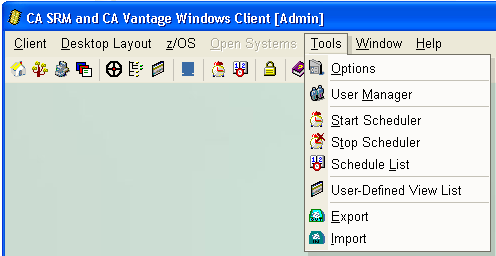
The following is a sample of the Windows Client main window Menu Bar and Toolbar.

The Tools menu expands to display available items, as shown in the following sample:
The Global Options dialog appears, as shown in the following sample:
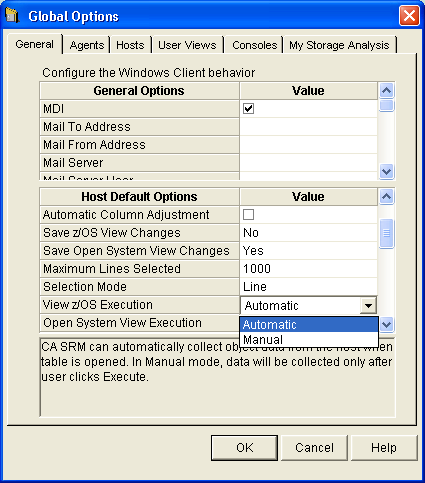
The General tab is displayed in the Global Options dialog.
A down arrow is displayed in the View z/OS Execution field.
A drop down list with choices of Automatic or Manual is displayed.
The Global Options dialog closes. When you select an object in the Object Tree the Windows Client will collect data based on the mode that you have selected.
Note: The examples in this guide assume that Automatic mode is selected.
| Copyright © 2012 CA. All rights reserved. | Tell Technical Publications how we can improve this information |