

|
|
|
You can customize reports with the appearance and information you want by using the Windows Client View and Output Definition feature.
Note: The Customize Reports Wizard in the Web Client provides an output report feature you can use to create and manage user-view object data output reports and schedules for output reports. For more information, see the CA Vantage SRM Web Client Guide.
The Windows Client View and Output Definition feature allows you to define:
To start the View and Output Definition feature in the Windows Client
The object view appears.
 ) from the toolbar of the object view.
The View and Output Definition dialog appears.
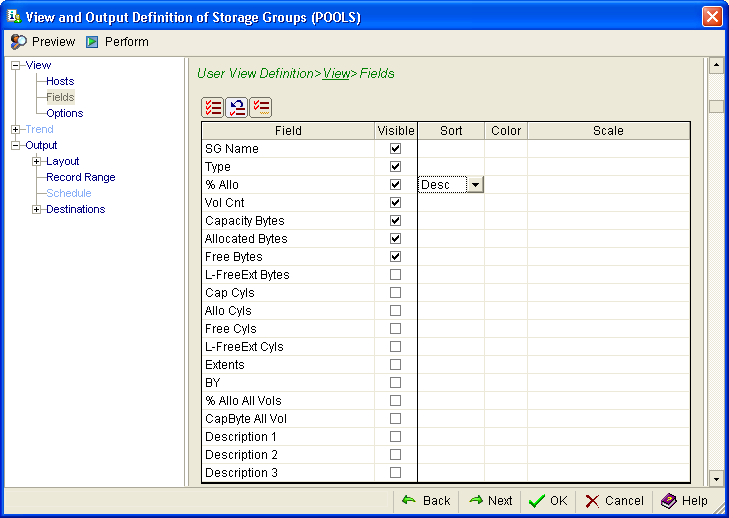
Example: Define fields to be displayed in a Storage Groups report
You can create a report based on the Storage Groups object that contains information on the SG Name, Type, % Allo, Vol Cnt, Capacity Bytes, Allocated Bytes and Free Bytes. You can then sort the report by descending % Allo.
The following example shows how you would define this report in the Windows Client View and Output Definition>View>Fields dialog.
Note: For more information about the View and Output Definition dialog, click the Help icon in the View and Output Definition dialog.
| Copyright © 2012 CA. All rights reserved. | Tell Technical Publications how we can improve this information |