

|
|
|
A typical multisystem setup consists of a group of linked production systems (or regions), and a stand-alone development and test system, as shown in the following illustration:
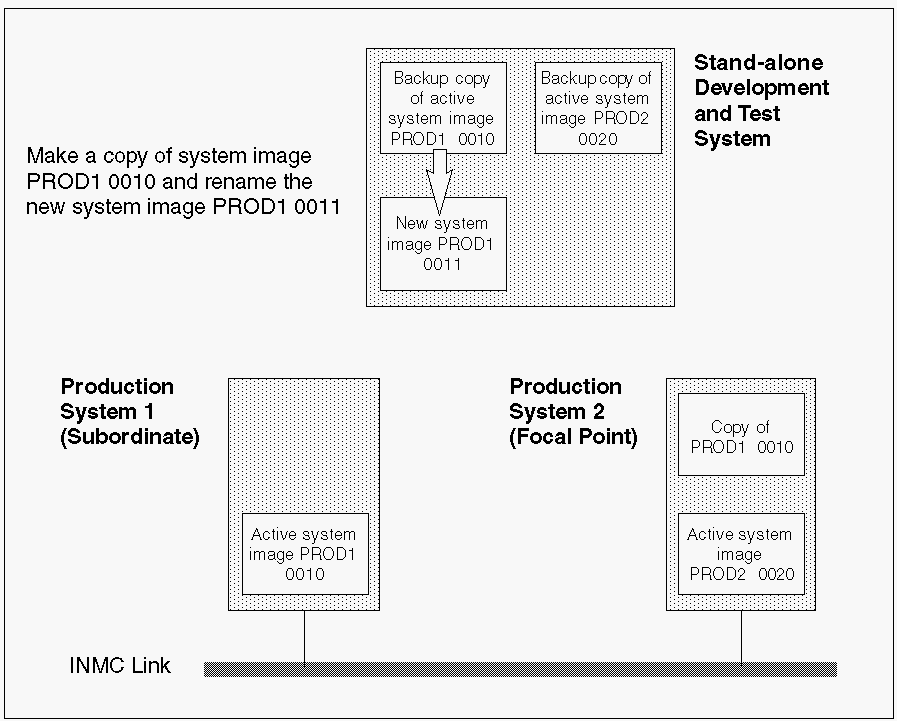
The development and test system has copies of the active system images of all your production systems.
To update and test a current system image in a stand-alone development region
The development region has a copy of the image you want to update
The region creates another copy but at a new version.
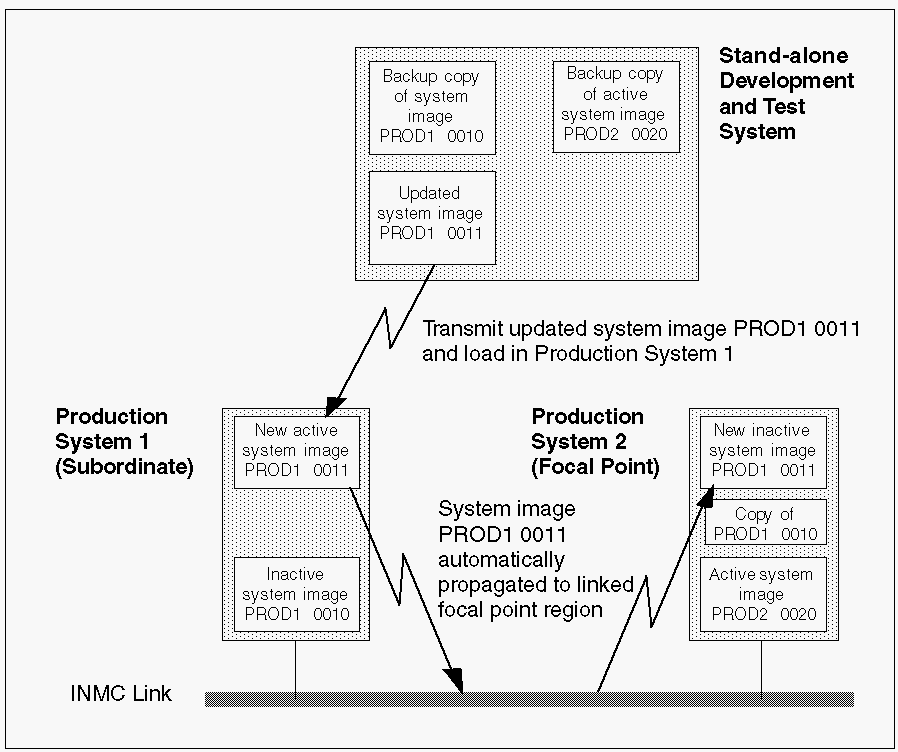
The new system image is automatically copied to all affected linked regions.
The currently active system image is replaced with the updated version.
| Copyright © 2011 CA. All rights reserved. | Tell Technical Publications how we can improve this information |