Administering a Multisystem Environment › Transmission of Records
Transmission of Records
You can transmit, that is, copy knowledge base records from the local region to a remote region that is not linked to it.
You cannot transmit a system image to a region in which the image is currently loaded. You cannot transmit and replace a rule set when the rule set is currently loaded in the remote (target) region.
By specifying the appropriate transmission mode on the Remote System Identification panel, you can specify how to update the records in the remote region.
The following transmission modes are available:
- Replace (R) deletes any existing remote records, and then transmits the local records.
- Overlay (O) replaces existing remote records with the same name, adds records that do not exist, but does not delete any remote records.
- Merge (M) adds records that do not exist, but does not affect existing records in the remote knowledge base.
Transmit Records
The following illustration shows the transmit operation.
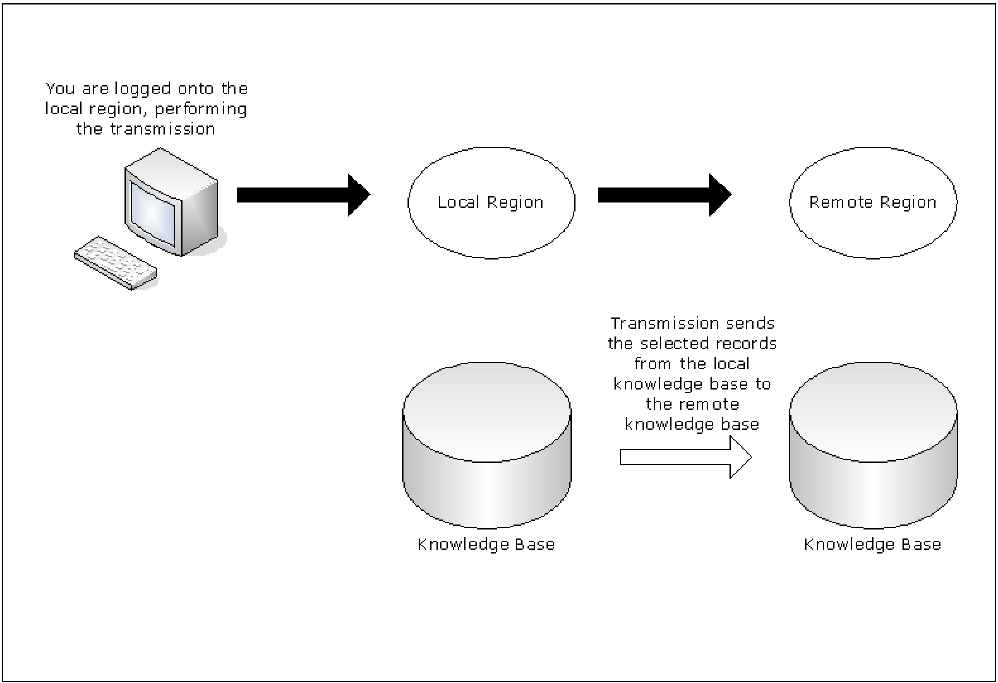
To transmit knowledge base records
- Log on to the region from which you want to transmit the records.
- Enter /MADMIN at the prompt.
The Multi-System Support Menu appears.
- Specify the option you want at the prompt and press Enter.
A Remote System Identification panel appears.
- Specify the ACB name (primary name) of the region to which you want to transmit records.
If you specified the TI, TS, or TR option, go to Step 5. If you specified any other transmission options, go to Step 6.
- Complete the following fields:
- System Name
-
Specifies the name of the system to transmit. Applies to option TI only.
- Version
-
Specifies the version of the system to transmit. Applies to options TI and TS only.
- Ruleset Name
-
Specifies the name of the rule set to transmit. Applies to option TR only.
- Do one of the following:
- If you want to replace a set of records or all elements of a component, enter REPLACE in the Transmission Mode field.
- If you want to update a region by adding new records without updating existing records, enter MERGE in the Transmission Mode field.
- If you want to update a region by adding new records and updating existing records, enter OVERLAY in the Transmission Mode field.
- Specify the communication access methods to use for transmitting the selected records. You can enable any combination of the access methods.
- Press F6 (Action) to select the specified option.
If a selection list appears, go to Step 9. If the Confirm Transmit panel appears, go to Step 11.
- Do one of the following:
- If you selected option TC with a transmission mode of REPLACE, enter S next to the categories that you want to transmit.
- If you selected option TC with a transmission mode of MERGE or OVERLAY, enter S next to the categories that you want to transmit.
To select specific definitions in a category for transmission, perform the following steps:
- Enter L (List) next to the category to list the definitions.
- Enter S next to the definitions to transmit.
- If you selected other transmission options with a transmission mode of MERGE or OVERLAY, take one of the following actions:
- To transmit all definitions, press F4 (All).
- To transmit specific definitions, enter S next to the definitions that you want to transmit.
- Press F6 (Transmit).
A Confirm Transmit panel appears.
- Press Enter to confirm transmission.
A status panel appears, showing the progress of the transmission.
Note: If you exit the status panel, you can check the status of the task by viewing the administration task log. Before you exit, note the task number for future reference.

