

The diagrams in this section depict possible deployment options for prerequisite software and RiskMinder components. If you perform a Complete Installation, then both Java SDKs and web services are copied on the system. You can choose to use one or both integration methods, in this case.
If you plan to perform a single-system deployment, then decide on the following items:
Important! Sample Application must not be used in production deployments. It is recommended that you build your own web application by using Sample Application as a code reference.
The following sections provide information that is aimed at helping you achieve your deployment decision.
The following figure shows RiskMinder Server and Java SDKs deployed on a single system:
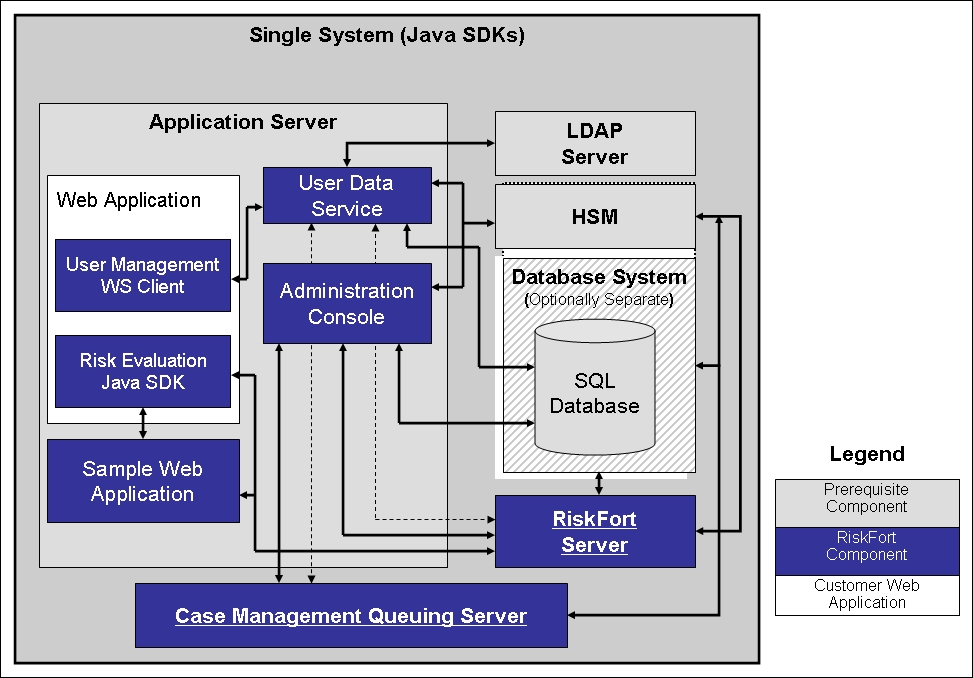
Note: The use of a web server to deliver HTML pages for the application server is optional and is transparent to RiskMinder. In production deployments, this approach helps improve application server performance and security. See the documentation of your application server for detailed information.
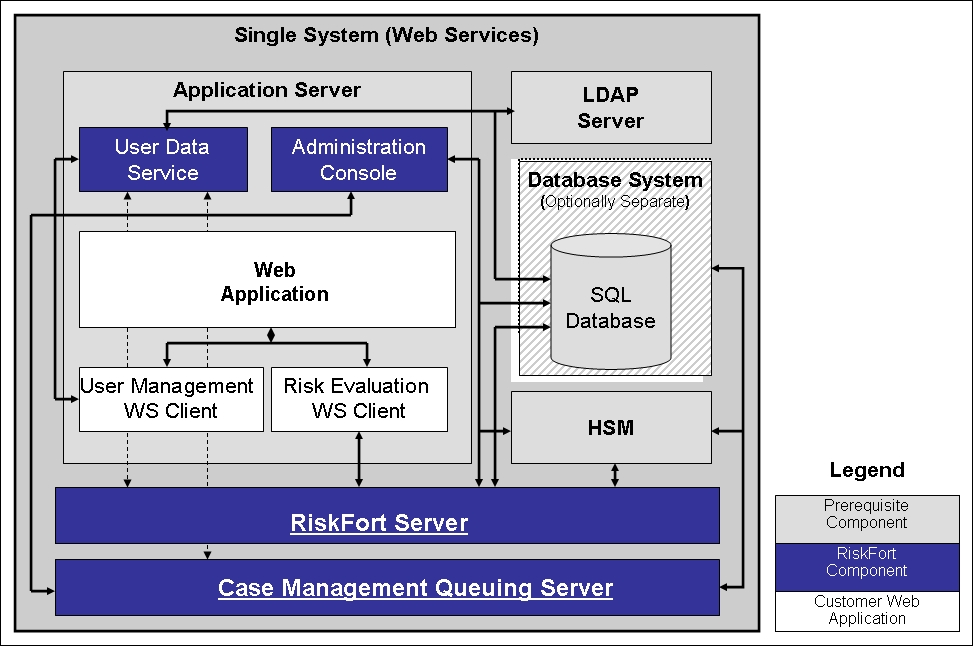
If you plan to deploy web services, then the following figure shows RiskMinder Server and web services on a single system.
Note: Because all web services are built into the RiskMinder Server module itself, you can install RiskMinder Server on the target system and then generate the requisite client stubs. No further configuration is required.
|
Copyright © 2013 CA.
All rights reserved.
|
|