

The Loop operator loops an enclosed sequence of operators in a process either a specified number of times or indefinitely. You can place it in a process and can resize the box to accommodate any number of operators in the sequence.
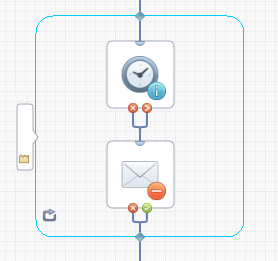
The Loop operator can enclose a sequence of operators in a process on the Main Editor pane, the Exception Handler pane, or the Lane Change Handler pane of the Designer tab.
To place a Loop operator in a process
|
Copyright © 2014 CA.
All rights reserved.
|
|