

Forms › The Form Designer › Form Element Properties › View Form Property Values in a Separate Window
View Form Property Values in a Separate Window
When form properties values are not fully visible in the pane displaying the Name and Value settings, you can view them in a separate window.
Follow these steps:
- Click the Library tab.
- Open a form.
- In the Form Designer:
- Drag a field to a page in the layout.
- Click the field listed in the form structure.
- Identify a property or event that can store multiple lines of text, such as Style or onMouseOver.
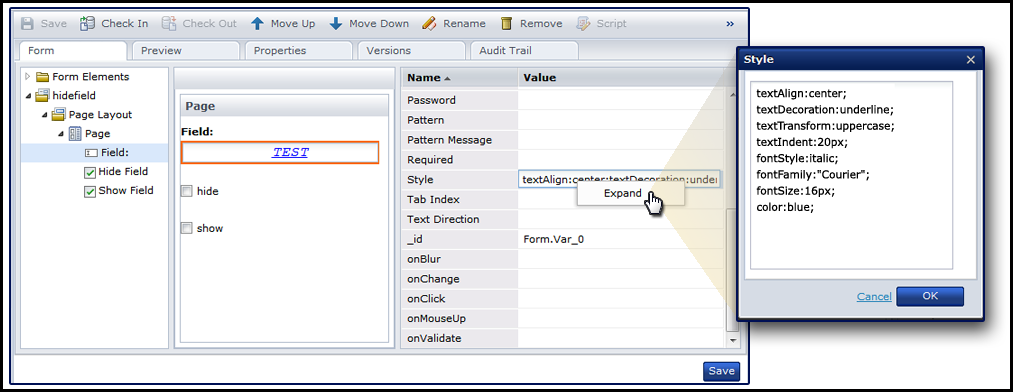
- Right-click the property or event value, then click Expand.
The expanded property value appears in a separate window.
Note: When you expand an event, you can press Ctrl+Space to view code completion assistance suggestions. Press Ctrl+Alt to view a list of the functions.
Copyright © 2014 CA.
All rights reserved.
|
|