

Running, Testing, and Debugging Processes › Simulate Processing of Operators › Simulate Processing of a Selected Operator
Simulate Processing of a Selected Operator
You can simulate the processing of a selected operator.
Follow these steps:
- Open process in the Process Designer.
- Open the operator properties.
- Configure the Simulation properties for any operator.
- To activate simulation, specify either a Local or Distant simulation type.
- Local: The operator is not processed. CA Process Automation does not call the associated module or verify the module parameters. The simulated operator returns the result and processes the link specified by the End condition option.
- Distant: The Workflow module calls the associated module. The module verifies parameters before returning the result but does not actually run the operator. If the parameters are incorrect, the simulated operator fails regardless of the specified outcome. If the parameters are correct, the simulated operator returns the result and processes the link specified by the End condition option.
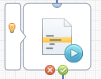
The simulation symbol appears next to an operator when either the local or distant simulation is activated:
- (Optional) Select the Evaluate Pre-Execution and post-Execution Code check box to prevent side effects generated by ignoring preconditions or post-execution code. Select this option to evaluate the operator’s preconditions and execute its post-execution code.
- Set the End condition parameter. It specifies the simulated outcome of an operator. The End condition determines which exit link is processed after the simulated processing of the operator. Setting this parameter determines subsequent processing of dependent branches in the process. This setting determines the value returned by the Result variable of an operator. The Successful or Completed setting returns a positive value, which activates a Successful exit link on an operator. The Failed setting returns zero or a negative value, which activates a Failure or Abort exit link. The Custom Result setting allows you to return an arbitrary value, typically used to test a custom exit link on an operator.
- (Optional) Specify a delay in seconds to simulate the duration of the task. Change the Delay field from the default value of zero if the time typically required to execute an operator could affect the behavior or outcome of other operators in the process.
More information:
Pre-Execution Code and Post-Execution Code
Copyright © 2014 CA.
All rights reserved.
|
|