

While you are editing a process object, you can start the current version without leaving the Process Designer. The Start and Start Suspended commands are available on the File menu. Start and Start Suspended buttons are also available on the Process Designer toolbar.
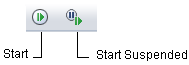
The Process Designer Start and Start Suspended commands create an instance of the current process in memory, like starting a process in the Library Browser. If you click Start, the instance of the corresponding process is created and starts executing the process immediately. If you click Start Suspended, the instance of the corresponding process is created but does not start execution of the process.
Both the Start and Start Suspended commands prompt for the touchpoint on which to run the process, then prompt whether you want to monitor execution of the process. If you monitor execution of the process, CA Process Automation opens a separate Process Designer window to work with the new instance in debug mode.
|
Copyright © 2014 CA.
All rights reserved.
|
|