

In previous releases of CA Process Automation, you could use a variable in a custom operator field that accepted an expression as input. The base operator supported the use of variables and dynamically replaced them with actual values, a concept that is known as macro expansion. Custom operators that you import from previous releases continue to support dynamic variables and macro expansion in this release of CA Process Automation.
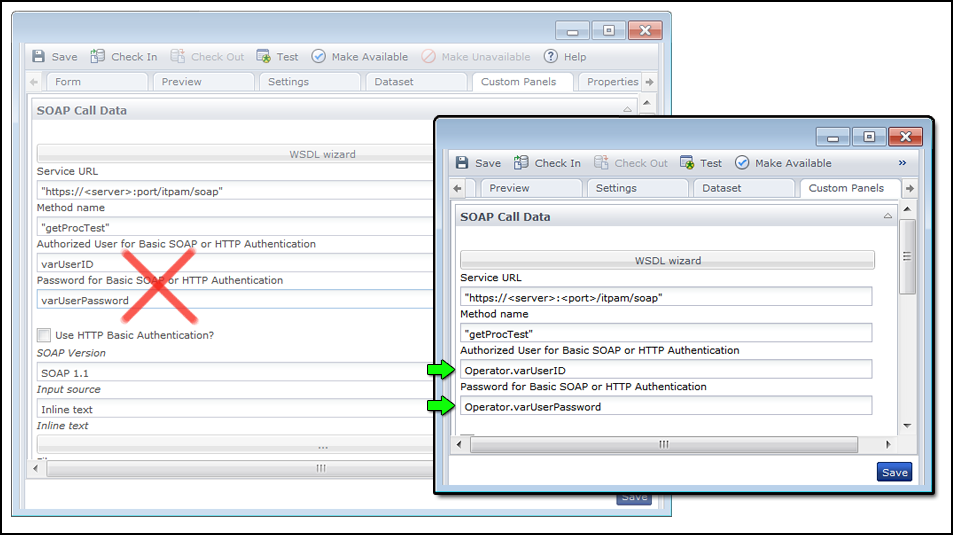
For certain base operators, however, namely the ones with a Custom Panels tab, the fields do not support macro expansion with just a variable name alone. Examples include the Assign User Task and Invoke SOAP Method operators. Add the term operator to the field for evaluation of the expression and macro expansion, if supported. The following graphic demonstrates the syntax that is required to replace the variables varUserID and varUserPassword dynamically:
Operator.varUserID
Operator.varUserPassword
|
Copyright © 2014 CA.
All rights reserved.
|
|