

The Orchestrator installation process presents a configuration page where you can elect to configure a load balancer:
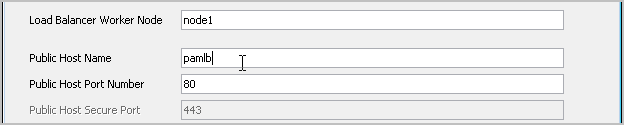
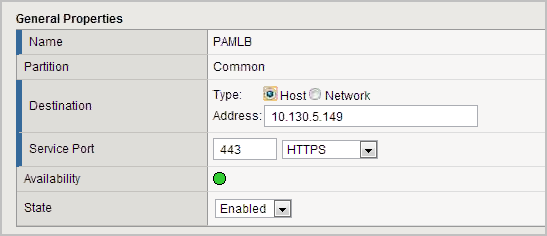
For Public Host Name in the CA Process Automation installation, you enter the host name that you define in F5. To validate that CA Process Automation can communicate with the host specified for Public Host Name, the CA Process Automation installation process submits an HTTP Get request to the target you specify. The problem for the CA Process Automation installation process is that this host name is mapped to the private IP address of the virtual server that F5 allocates--an IP address that is not part of your local CA Process Automation network. In the following example, 10.130.5.149 is an IP address that is part of the F5 network, not the CA Process Automation network.
Without a workaround, an error similar to the following occurs:
java.net.UnknownHostException:pamlb
To enable the communication validation to complete successfully, create an entry in your hosts file that maps your entry for Public Host Name to an IP address of a server that can respond to this request.
For example, create a hosts file entry that maps your Public Host Name entry to the IP address of a server in the CA Process Automation network with an Apache load balancer installed.
xxx.xxx.xxx.xxx pamlb
After the installer proceeds past the load balancer page, remove this workaround line from the hosts file.
Note: Alternatively, you can configure the F5 so that the allocated IP address can accept the ‘open http stream’ request from the CA Process Automation Orchestrator installation process. See the F5 documentation for details.
|
Copyright © 2014 CA.
All rights reserved.
|
|