

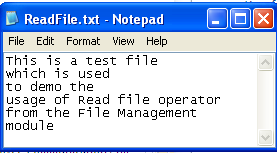
This example lets you read from a file named ReadFile.txt. The file content is as follows:
This example considers the following scenarios:
Follow these steps:
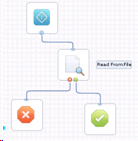
To read from the file
(Windows) C:\\ReadFile.txt
(UNIX) /root/readfromfile.txt
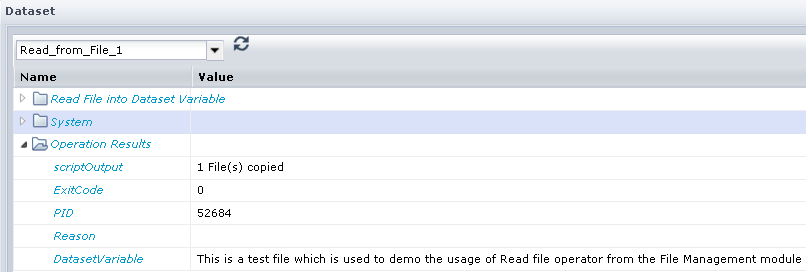
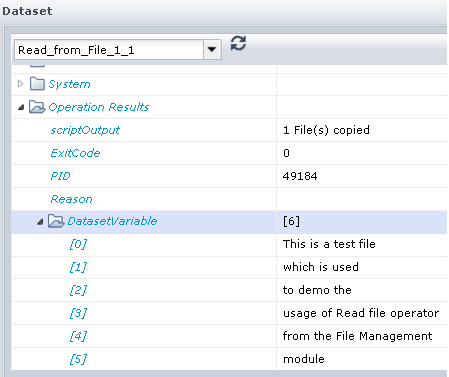
To read from file and save the file content as an array
The file content is available as an array as shown in the following illustration:
To read specific lines in the file
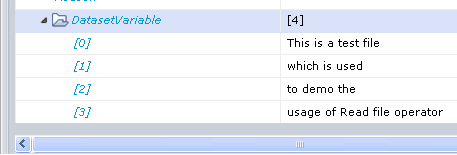
The file content is read and saved in the dataset form line 1 through 4 as shown in the following illustration:
To read the file and save the file content in a dataset variable
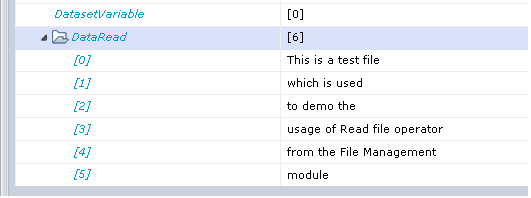
The file content is saved in the DataRead dataset and not in the system dataset as shown in the following illustration:
You can also specify the User ID and password of the user account to grant execute permission on a process. When you provide User ID and password values at the operator level you override the values that are defined in the Require user credentials field. You define the Require user credentials field in File Management properties.
Note: Ensure that you grant Read permission to the user and Read and Execute permissions to the PAM installation directory to run the ReadFile service operation. For more information about how to configure file management, see the Configure File Management section in the Content Administrator Guide.
|
Copyright © 2014 CA.
All rights reserved.
|
|