

Library Browser › Working with Objects and Folders › How to Work with Nonmodifiable Content
How to Work with Nonmodifiable Content
CA Technologies can release nonmodifiable content. The not icon indicates that the content is nonmodifiable:
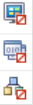
The use of nonmodifiable objects is different from the use of modifiable objects in the following respects:
- You cannot modify the imported version.
- You can copy and paste the imported version to another folder and then modify the copy.
- You cannot modify the release version of an imported object.
- You cannot modify the release version of a copy of the imported object.
Action-level Details on the Use of Nonmodifiable Content
The following actions are permitted on nonmodifiable content:
- Copy the object with a new name and paste it in a different folder.
- Cut the object and paste it in a different folder.
- Delete the imported object.
- View the object properties.
- Perform any actions shown in the More Actions drop-down list for imported objects.
The following actions are not permitted on nonmodifiable content:
- Edit the object.
- Rename the object.
- Check in or check out the object.
- Open the object version for edit.
- Edit the object properties.
- Set the owner on the object.
- Export the object.
If nonmodifiable content is exported in a folder, the following actions are not permitted in the folder:
- Import
- Create object
- Paste
Copyright © 2014 CA.
All rights reserved.
|
|