

|
|
|
A logical event is a construct you define to specify what happens in response to physical events, such as when the end user presses a function key or enters a subfile option. You can map a logical event to more than one physical event. For example, you can map a logical event called ClosePanel to two physical events: pressing Enter or pressing F3.
To add a logical event to the Edit Project panel:
The Create Event dialog appears:
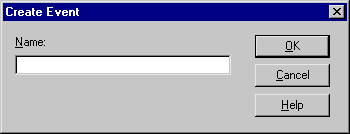
You have now created a logical event. Later, you will add functionality to the Project.Grid Maintenance Suite.Edit Grid User Interface function to tell it what to do when the Modify Tasks logical event is triggered.
| Copyright © 2012 CA. All rights reserved. | Tell Technical Publications how we can improve this information |