|
|
|
Now that you have modified the panel that lists all of the projects, you are ready to regenerate and rebuild the function it is scoped to. For more information on generating and building instructions, see the Generating and Building section in the chapter "Defining Entities."
Because you only modified the panel scoped to Project.Grid Maintained Entity.Edit Grid User Interface, you do not need to generate the entire project. Open the Generate and Build window, and select Project.Grid Maintained Entity.Edit Grid User Interface. Then, generate and build this function. Doing so generates and builds both the function and the panel scoped to the function.
To see the changes you made:
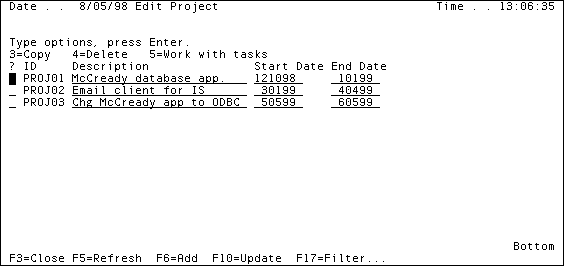
The panel should look like this:
| Copyright © 2012 CA. All rights reserved. | Tell Technical Publications how we can improve this information |