

|
|
|
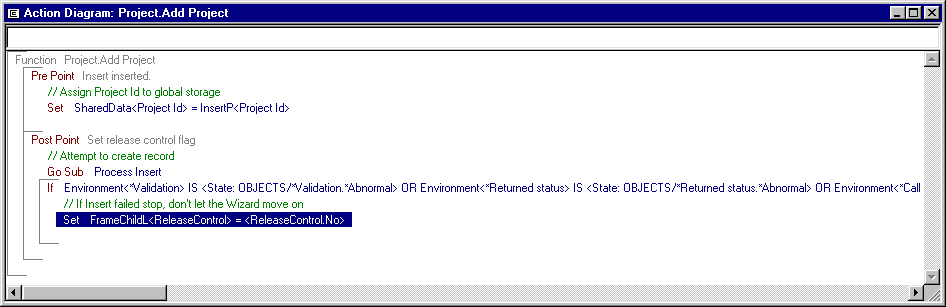
You have now added all the necessary code to the Add Project function. As a final check:
This restricts the display to show only the code you added. Unless you made a mistake your action diagram should look like the one below. This picture includes some additional comments in the code.
Note: Show Local Modifications is only available from the View menu when the Action Diagram Panel is open.
| Copyright © 2012 CA. All rights reserved. | Tell Technical Publications how we can improve this information |