

|
|
|
The Action Diagrammer moves to the Insert Inserted Pre Point. (Pre Points are explained in more detail later.)
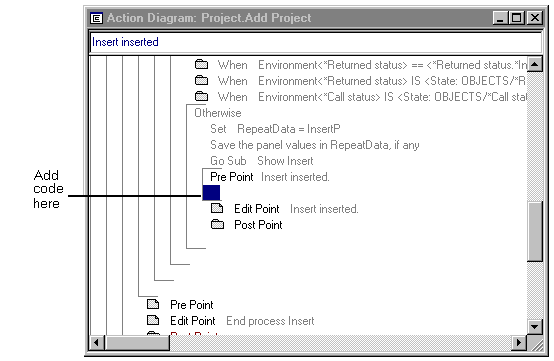
The Insert Inserted Pre Point corresponds to the point at which a new Project record was successfully inserted into the database.
Set SharedData<Project ID> = InsertP<Project ID>
This statement copies the data from the Project ID field in the InsertP region into the SharedData variable, so that the next wizard part can use it. Instead of typing the entire statement you could have constructed it using drag and drop techniques, as explained in the next step.
| Copyright © 2012 CA. All rights reserved. | Tell Technical Publications how we can improve this information |