

|
|
|
The Design Window is the main window in the Panel Designer, and shows you what your panel looks like. When you change a panel’s properties, you see how the changes affect what the panel looks like here. You can select, move, and resize buttons, fields, and other user interface elements using this window. When you make visual changes to the panel and its elements using the other windows, the changes appear here.
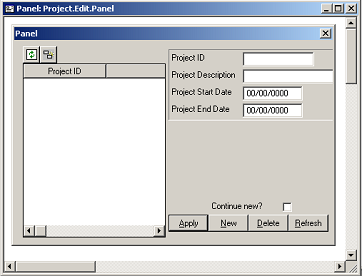
A panel’s elements are grouped into regions (each region has a name). The following graphic shows the grid and detail regions in the panel displayed by Project.Edit:
| Copyright © 2012 CA. All rights reserved. | Tell Technical Publications how we can improve this information |