

Putting It All Together › Generating and Building Your Applications › Testing the Application
Testing the Application
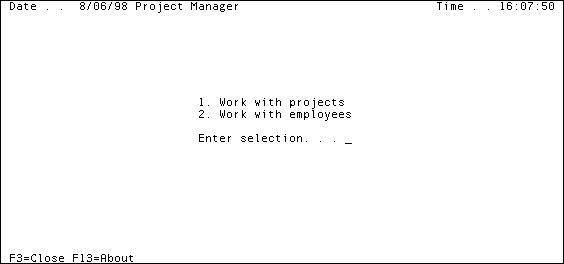
After you generated and built the application, run the Project Manager.MDI Frame Processing function. A top‑level menu panel appears that looks like this:
To test your application:
- Enter 1 and press Enter. The Edit Project panel appears.
- Navigate to the grid selector field for the first project.
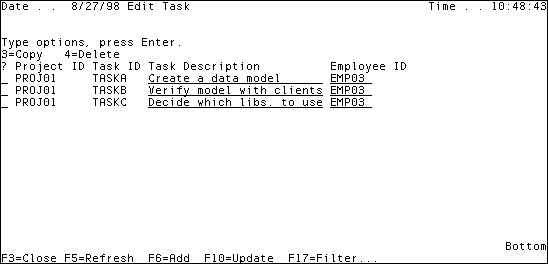
- Enter 5 and press Enter. The Edit Task panel appears.
Notice that only the tasks assigned to PROJ01 appear in this panel.
- Close the application.
Copyright © 2014 CA.
All rights reserved.
|
|