

To create, modify, or delete history file descriptors in the parameters file
The Performance Manager displays the History File Descriptors dialog box.
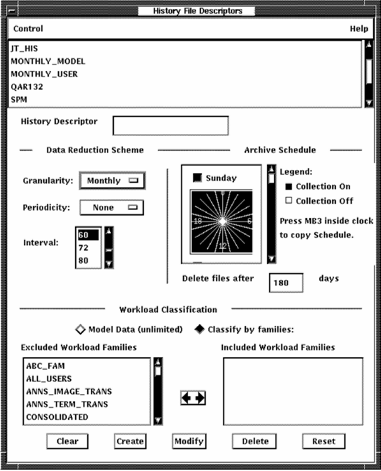
The menu bar contains Control and Help menus. A list of history file descriptors appears at the top of the dialog box.
The History File descriptor dialog box lets you do the following actions:
For a detailed description of history file descriptors, see the Performance Agent Administrator Guide.
|
Copyright © 2008 CA.
All rights reserved.
|
|