

To create or modify workload definitions in the parameters file, pull down the parameter submenu and choose the Workload Definitions menu item. The Performance Manager displays the Workload Definitions dialog box, as shown in the following screen:
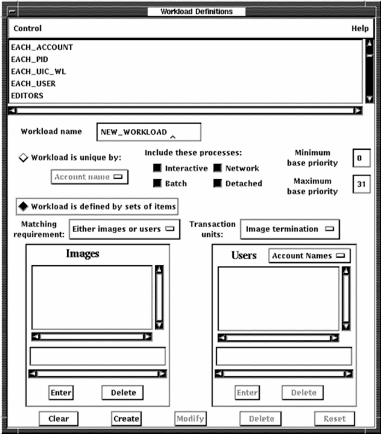
The menu bar contains Control and Help menus. A list of defined workload definitions appears at the top of the dialog box. To close the dialog box, pull down the Control menu and click the Exit menu item. The Workload Definitions dialog box lets you do the following:
|
Copyright © 2008 CA.
All rights reserved.
|
|