

Use the DECwindows Motif Interface › Start the DECwindows Motif Interface › Use the Main Window
Use the Main Window
When initiated, DECwindows Motif displays its main window, from which you select the activity you want to perform. It reflects the status of your use of the application and, if available, the status of data collection in your environment.
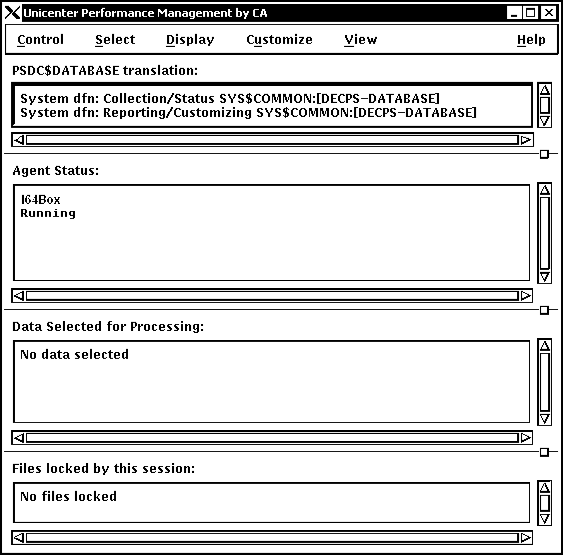
The Performance Manager Main Window lets you do the following tasks:
- Control the DECwindows interface
- Select data for analysis
- Display analyzed data
- Customize data collection, PSDC$DATABASE definition, and the parameters file
- View or remove specified main window sections
- Get Help, either Contextual (specific to a widget) or General (relating to a window)
Copyright © 2008 CA.
All rights reserved.
|
|