

To view Performance Agent settings, pull down the Customize menu and release on the Data Collection... menu item. CA DECwindows Motif displays the Performance Agent Collection Definition dialog box. This is shown in the following figure.
The primary data collection process collects performance data according to parameters in the CPD collection definition within the schedule file. If no other collection definitions exist, the CPD parameters are displayed in the Collection Definitions box, as shown in the following example:
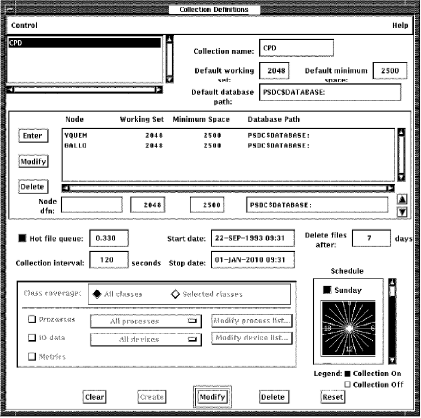
The Collection Definition dialog box allows you to do the following actions:
Your changes to the Collection Definition file are applied when you pull down the Control menu and release on Save schedule file or Exit. If you change settings and then decide not to use the changes, pull down the Control menu and release on Load schedule file to start over with the latest version.
When you are done with this window, pull down the Control menu and release on Exit.
Before writing out a new schedule file or releasing the lock, a message box appears with one of the following messages:
|
Copyright © 2008 CA.
All rights reserved.
|
|