Previous Topic: Device DiscoveryNext Topic: SNMP Profiles


Discovery Workflow

The following workflow offers a best practice to use as a quick reference when performing a discovery of your inventory.

Perform this process as either a user with the Administrator role or as the tenant administrator.

  1. If you want Data Collector to perform queries of device MIB tables that use SNMP, create SNMP profiles in CA Performance Center before performing discovery.

    Note: To apply an SNMP profile to a tenant, the SNMP profile must be created in the tenant space by a user with the tenant administrator role. For more information about creating SNMP profiles, see the CA Performance Center Administrator Guide.

  2. Create one or more discovery profiles from the Data Aggregator administration pages.
  3. Run one or more discovery profiles. Discovery can be scheduled or run manually.
  4. Review the discovery results.
  5. Review the component monitoring results. Use the results to determine how to manage the devices and components.

This diagram illustrates the discovery process:
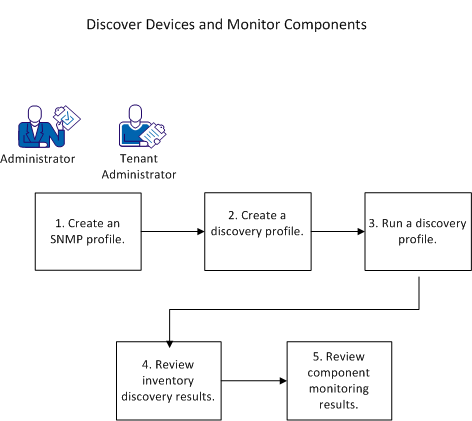
This diagram shows the discovery workflow.

More Information:

Device Discovery