

CA MSM does not retrieve information about old product releases and service packs. If you need maintenance from those releases and service packs, you must add them to the software catalog before you can download the maintenance.
Follow these steps:
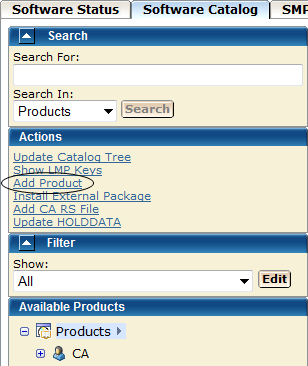
You are prompted to supply information about the product release.
Note: Use the same product name that appears on the product tree, and use the release and gen level values as they appear for Published Solutions on the CA Support Online website.
The product release is added to the software catalog.
Maintenance information about the product appears in the Releases section on the right side.
Maintenance packages are downloaded. A dialog that shows the progress of the task opens. When the task completes, you can click Show Results on the Progress tab to close this dialog. The task output browser opens and you can view the action details. Click Close to close the task output browser.
Note: While a task is in progress, you can perform other work. You can click Hide to exit the dialog and view the task status later on the Tasks tab.
|
Copyright © 2011 CA.
All rights reserved.
|
|