

In the Top Hosts view on the Enterprise Overview page, you can click a host name to see a more detailed summary report for the host, including its top interfaces and protocols. You can use this report to perform a high-level investigation of the protocols and interfaces for the host traffic.
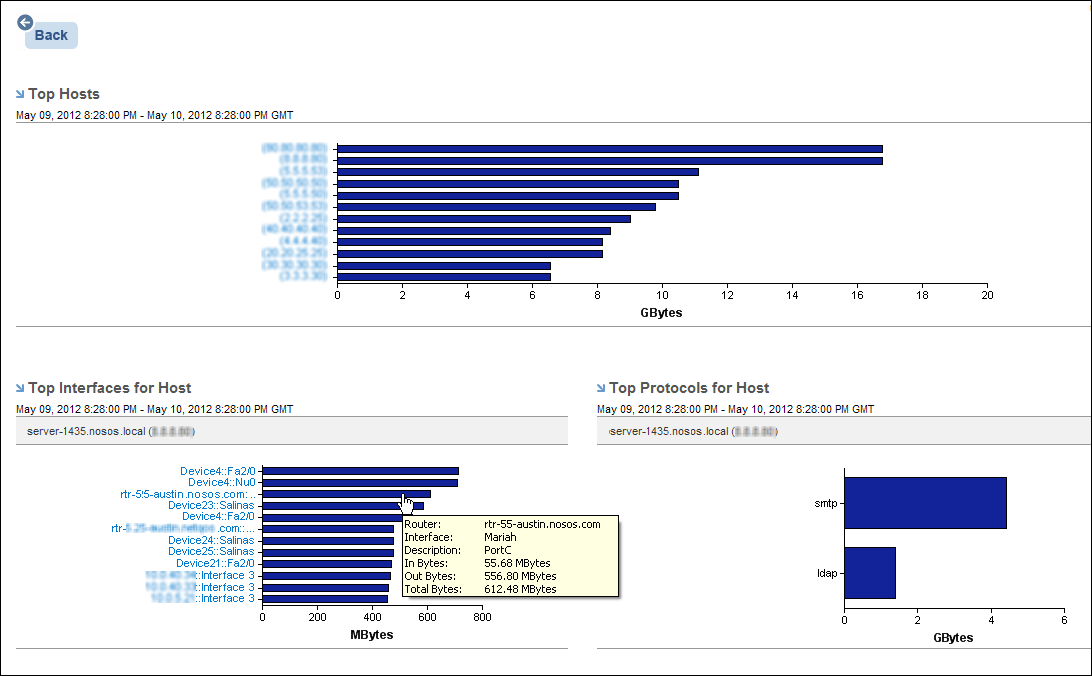
In the Top Interfaces for Host report view, click the name of an interface to open an Interface Hosts report and see detailed protocol data specific to that interface.
To drill down to details, click the host name or bar. Properly credentialed users also can drill down from the view in the Performance Center Console.
|
Copyright © 2014 CA.
All rights reserved.
|
|