

Initial Configuration › Configure CA Network Flow Analysis to Work with CA Performance Center › Verify That Data Is Received › Verify That the Interfaces Are Visible in the NFA Console
Verify That the Interfaces Are Visible in the NFA Console
Make sure that the configured interfaces are visible in the NFA console.
- Verify that interfaces are visible on the Enterprise Overview page:
- Log in to the NFA console.
- Click Enterprise Overview in the main menu.
- Make sure the report views show interfaces.
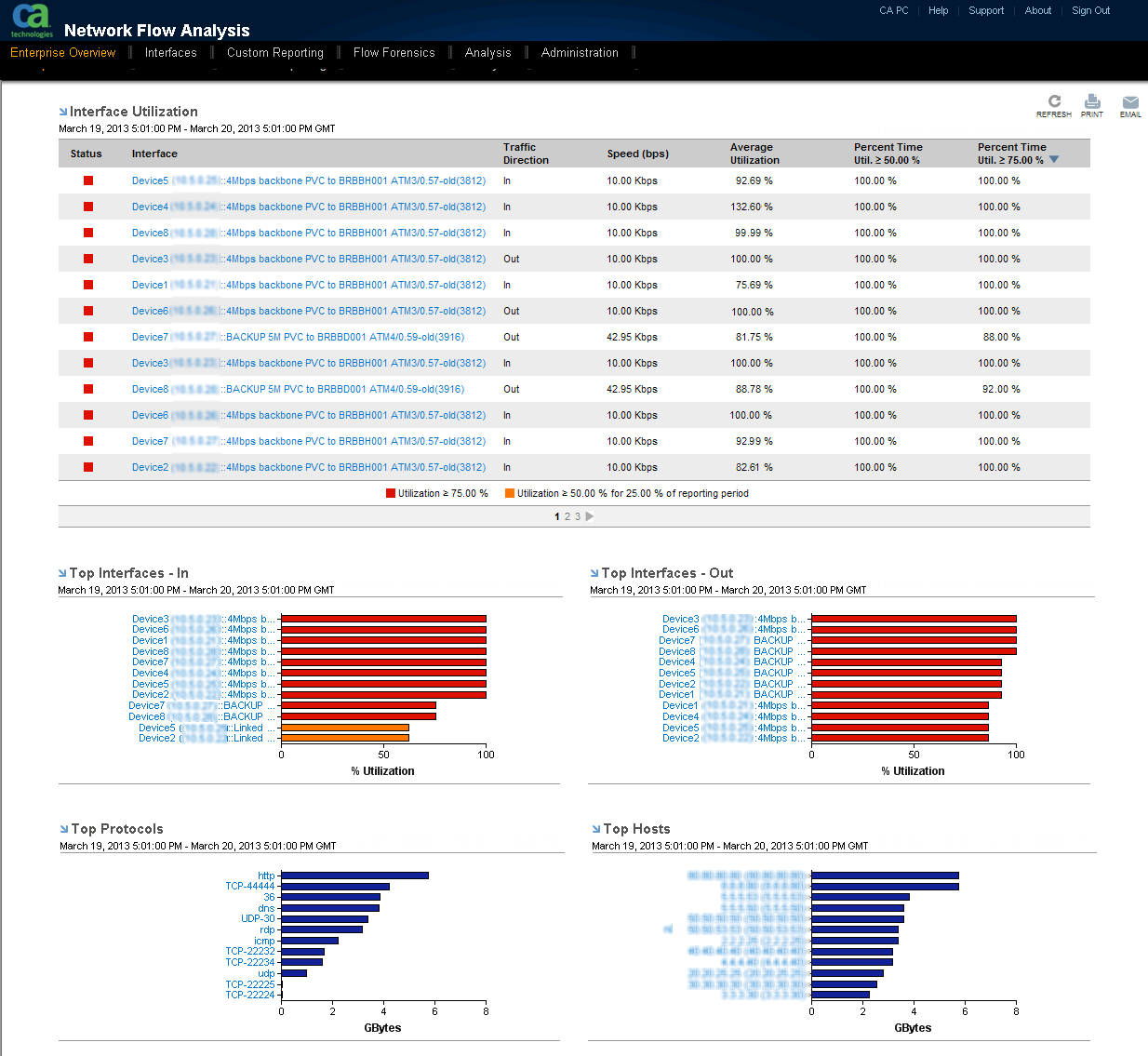
- Verify that interfaces are visible in the Interface Index:
- Click Interfaces in the NFA console menu.
The Interface Index opens.
- Make sure that the Interface Index includes the interfaces that you expect to see.
You can locate interfaces by expanding router details to view interfaces. Alternatively, you can use the Search box to find routers or interfaces by entering all or part of a name or description.
- If interfaces are not visible, perform the following preliminary troubleshooting tasks:
- Verify that the CA Network Flow Analysis services are running on the NFA console server.
- Review the logs. View the logs in the NFA console or open the logs from the <install_path>\reporter\Logs directory.
Copyright © 2013 CA.
All rights reserved.
|
|