

|
|
|
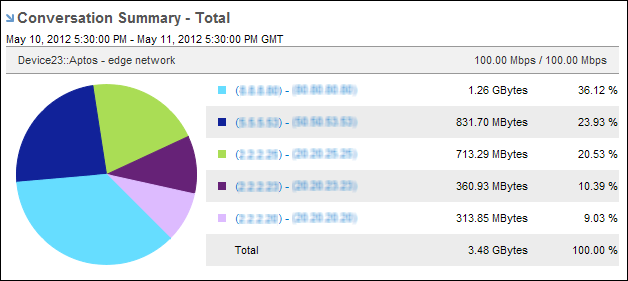
The data displayed in the Conversation Summary views is designed to help you determine the conversations with the most volume of traffic over the interface during the selected time period. Use this information to troubleshoot issues and determine if there is a saturation issue or an area of poor performance.
Click the name of a conversation in the view to display the Conversations report with interface data specific to that conversation.
These views display data for the top ten conversations on the interface by default. To display data for other conversations, select Show Other in the Presentation menu. Data for conversations other than the top ten is rolled up and assigned a label of Other.
| Copyright © 2012 CA. All rights reserved. | Tell Technical Publications how we can improve this information |